ChargePoint Home Flex vs Wallbox Pulsar Plus: Which Is Better? (October 2026)
For ChargePoint Home Flex vs Wallbox Pulsar Plus, choose ChargePoint for its app and charging network, or Wallbox for solar charging options and Wi-Fi plus Bluetooth control. Both plug-in versions use a NEMA 14-50 outlet and provide up to 40A.
On this page (8 sections)
- ChargePoint Home Flex vs Wallbox Pulsar Plus: what separates them?
- Which charger fits your electrical setup?
- How do the apps and smart features compare?
- Which charger works with your EV?
- Are these chargers suitable for outdoor installation?
- What setup steps help avoid a bad fit?
- What mistakes should buyers avoid?
- Which charger should you choose?
For ChargePoint Home Flex vs Wallbox Pulsar Plus, choose ChargePoint for its app and network features, or Wallbox for solar charging options and Wi-Fi plus Bluetooth controls. Both plug-in versions use a NEMA 14-50 outlet and provide up to 40A.
These are Level 2 chargers for drivers who want home charging through a 240-volt circuit. Both use J1772 connectors, so Tesla drivers need an adapter.
 Best for app-connected charging
ChargePoint HomeFlex NEMA 14-50 Charger

ChargePoint Home Flex vs Wallbox Pulsar Plus: what separates them?
ChargePoint centers its offer on its app and charging network, while Wallbox highlights scheduling, Wi-Fi and Bluetooth, and solar charging options. The key choice is which set of controls and home-energy features fits the way you charge.
The ChargePoint app supports charge controls, reminders, smart-home connections, station finding and charging information. ChargePoint also connects home users to its public charging network and roaming partners, which can be useful if you want one app for home and travel.
Wallbox's app supports remote monitoring, control and scheduling. Wallbox also describes solar-only charging and a mix of solar and grid power, making its energy options a stronger match for households already considering how to coordinate charging with solar.
Neither app feature set matters much if you only need to plug in overnight and rarely change a schedule. In that case, prioritize outlet fit, cable reach and the circuit your electrician confirms can support the charger.
Which charger fits your electrical setup?
Choose based on the circuit and installation type an electrician confirms will work at your home. A NEMA 14-50 outlet's shape does not guarantee the wiring or breaker is suitable for continuous EV charging.
Both plug-in versions use a NEMA 14-50 outlet. Wallbox identifies its 40A model as the plug-in version, while its 48A model is hardwired; this comparison is specifically about the 40A Pulsar Plus.
ChargePoint's NEMA 14-50 model provides up to 40A. ChargePoint lists a 50A current rating, but that does not mean its plug-in version delivers 50A.
The Home Flex hardwired version can provide up to 50A, but it is a different installation configuration.
Before buying, ask an electrician to check breaker size, wire sizing, panel capacity and the charger's configured amperage. ChargePoint specifically advises matching Home Flex amperage with the panel and vehicle requirements, and Wallbox recommends a licensed electrician for hardwired installation.
If you need a new outlet or circuit, include that work in your decision and timing. Our guide to Level 2 charger outlets explains the common outlet choices and why circuit capacity matters.
Does the ChargePoint 50A rating mean it charges at 50A?
No, the ChargePoint NEMA 14-50 version provides up to 40A. Its 50A figure applies to the current rating, while the hardwired Home Flex version can provide up to 50A.
This distinction affects how you compare expected charging output. Confirm the exact plug or hardwired model, then compare it with the circuit your electrician approves and the charging limit of your vehicle.
A higher-output charger is useful only if your car can accept that output and your home can safely supply it. Our 40A vs 48A charger comparison explains the practical tradeoffs between those levels.
How do the apps and smart features compare?
ChargePoint suits drivers who want reminders, charging information and station access in one app; Wallbox suits drivers who want scheduled charging and solar options. Both let you manage charging with a phone.
ChargePoint's app includes controls, reminders, charging information, station finding and smart-home connections. That combination can be useful if you want to check a session, adjust settings or find a public station without switching apps.
Wallbox connects through Wi-Fi and Bluetooth, and its app supports monitoring, control and schedules. Wallbox describes charging from solar alone or from solar combined with grid energy.
Think through how often you will use those controls before paying for a connected charger. If you mainly plug in at night and leave the schedule untouched, a simpler setup may be easier to live with.
For more connected options, see our smart EV charger guide.
Which charger is better for solar charging?
Wallbox is the clearer choice if solar charging is one of your priorities. Wallbox describes the Pulsar Plus as able to use solar energy alone or combine it with grid power.
That feature does not guarantee that every solar installation can use those modes. Check the requirements for your inverter, energy monitoring setup and Wallbox app, and consider how much solar power is available when you plan to charge.
The ChargePoint features described here focus on app controls, reminders and charging stations. They do not identify a solar charging mode for this Home Flex model.
If the home's electrical load is also a concern, read our guide to EV charger load management. It can help you understand what to ask an electrician before adding charging equipment.
Which charger works with your EV?
Both chargers use J1772 connectors, which suit non-Tesla EVs and plug-in hybrids; Tesla drivers need a separate adapter. Confirm your car's connector and adapter needs before you buy.
ChargePoint describes its J1772 model as compatible with EVs, including Tesla vehicles when used with an adapter. Wallbox says its J1772 charger works with EVs and plug-in hybrids sold in North America, and specifies that the Tesla adapter is not included.
An adapter adds another piece to your charging setup, so check whether you already have one and whether it is suitable for home charging. If you plan to change vehicles, confirm that the connector will still suit your next car.
Our guide to J1772 vs CCS plugs explains the difference between the car's charging ports and the connector used by these home chargers. Tesla drivers can also review whether they need a J1772 adapter.
Are these chargers suitable for outdoor installation?
Both brands describe these models for indoor or outdoor use. Plan a location that keeps the cable within reach of the parking spot and have an electrician confirm the installation.
ChargePoint describes Home Flex as UL-certified and suitable for indoor or outdoor installation by an electrician. It includes a cold-resistant cable.
Wallbox describes the Pulsar Plus as weather-resistant for indoor and outdoor use.
Think about the route from charger to vehicle before mounting anything. The cable should reach the charging port without stretching, crossing a walkway or sitting where it can be driven over.
Keep the connector and cable arranged according to the installation instructions, and inspect them for visible damage as part of ordinary care. For more on charging outdoors, see our guide to charging an EV in the rain.
What setup steps help avoid a bad fit?
Confirm the outlet, circuit, connector and parking layout before ordering. Those checks prevent the most common mismatch: buying a charger that fits the car but not the home's electrical setup.
Start by identifying the outlet available in the planned charging location. If you have a NEMA 14-50 receptacle, still have an electrician verify the circuit and wiring rather than assuming the outlet alone settles the question.
Next, confirm the vehicle connector. J1772 works for the non-Tesla vehicles these models target, while Tesla drivers need an adapter.
Then measure the path from the mounting point to the car's charge port and consider how the cable will rest when not in use.
After installation, follow the charger's app setup steps and test the routine you expect to use: connect the car, confirm the charge starts, and set any schedule you want. Keep the charger instructions available so you can check its controls and care guidance later.
What mistakes should buyers avoid?
The biggest mistakes are treating a current rating as delivered output, assuming an outlet is ready, and overlooking Tesla adapter needs. A quick pre-purchase check can resolve each one.
Do not buy the ChargePoint plug-in version expecting 50A output. It provides up to 40A, and the higher 50A output refers to hardwired Home Flex.
Do not assume the presence of a NEMA 14-50 outlet proves the circuit is appropriate. Have an electrician verify the breaker and wiring, especially if you do not know how the outlet was installed.
Do not choose Wallbox for solar charging without checking the solar system and app requirements. Likewise, do not expect ChargePoint's public charging network to determine how quickly the home charger will charge your car.
Finally, avoid mounting a charger before checking cable reach and where the car will park. A convenient location for the electrical connection may not be convenient for the vehicle.
Which charger should you choose?
Pick ChargePoint Home Flex for its charging app, reminders, smart-home connections and station network; pick Wallbox Pulsar Plus 40A for scheduled control and stated solar charging modes. Either fits buyers with a compatible NEMA 14-50 circuit, and both require a Tesla adapter for J1772 charging.
Skip ChargePoint if your main reason for buying is 50A output but you need a plug-in unit. Its NEMA 14-50 version provides up to 40A, so choose only if that output and its app features fit your needs.
Skip Wallbox if you do not have a compatible outlet and are not prepared for electrical work, or if you expect solar charging to work without checking your system. Its smart features are most useful when you plan to manage schedules or energy sources.
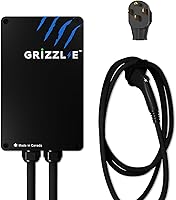
For adjustable output from 16A to 40A, the Grizzl-E Classic offers a different fit, though the product information here does not describe app connectivity. Its maximum 40A output requires a 50A circuit breaker.
The decision rule for ChargePoint Home Flex vs Wallbox Pulsar Plus is simple: choose the app and network you prefer after confirming your circuit and car connector. For a broader look at home charging options, see our Level 2 charger guide for home.
Frequently asked questions
Which charges faster, ChargePoint Home Flex or Wallbox Pulsar Plus?
Both the ChargePoint NEMA 14-50 version and Wallbox Pulsar Plus 40A provide up to 40A. ChargePoint's 50A current rating does not mean it supplies 50A from that outlet.
Actual charging speed also depends on your vehicle and electrical setup.
Can I use either charger with a Tesla?
Both chargers use J1772 connectors, so Tesla drivers need an adapter. Wallbox's adapter is not included, and ChargePoint also notes that J1772 charging requires an adapter for Tesla use.
Check your vehicle's connector and adapter requirements before buying.
Can the Wallbox Pulsar Plus use solar power?
Wallbox describes the Pulsar Plus as able to charge using 100% solar energy or a mix of solar and grid power. Your home's solar setup and configuration determine what is possible, so check your system and app requirements before relying on solar charging.
Can I install these chargers outside?
Both brands describe their chargers for indoor or outdoor use. ChargePoint says an electrician should install Home Flex, and Wallbox recommends a licensed electrician for hardwiring.
Confirm the exact model's installation directions and have a suitable circuit in place.